An “agentic lawyer” is a name for AI software that can plan and carry out several steps in a legal workflow. It is not a licensed lawyer. In an April 2026 video, Jonathan Nessler demonstrates a prototype that works across fictional matters. The useful question is what the system actually does—and what a human lawyer must still decide and verify.

What makes an AI agent different from a chatbot?
A basic chatbot mainly responds to a prompt. Modern chat products can also use tools and handle multiple steps; the same model might power both experiences. “Agent” describes a workflow that gives software a goal, access to selected information and tools, and room to choose a sequence of actions. In legal work, that could mean reading a matter file, proposing the next tasks, and preparing drafts for review. Its authority depends on the permissions and checkpoints built around it, not on the word “agentic.” Our guide to AI agents explains the underlying pattern.
The phrase “agentic lawyer” describes a tool's proposed role, not a transfer of professional responsibility. A person must still determine whether the tool has the right matter facts, current law, and authority to act. The ABA's Formal Opinion 512 discusses lawyers' duties when using generative AI, including competence, confidentiality, supervision, communication, and verification. Applicable duties depend on the jurisdiction and the task.
Watch the prototype demonstration
In “Agentic AI Concept”, Nessler walks through an application he has been building. He says the matters are made up and the uploaded documents were created with AI. The video is a demonstration of a design, not a study of legal accuracy, client outcomes, or time saved.
What the video shows
The prototype presents separate matter workspaces. The interface shows an agent reading one file and proposing the next documents rather than waiting for an instruction to draft a particular document. In one matter, the proposed work includes a summons and discovery requests; other workspaces show a legal research request, letters, and injury illustrations. Watch the proposed deliverables and the parallel work.
The demonstration also shows matter-specific memory, shared preferences, templates, and reusable office checklists. Those are features of the application as presented. Storing context or preferences for later use does not, by itself, mean the underlying AI model is being retrained after each matter. The video does not establish how access to that stored information is limited across clients. See the memory discussion.
What the visible review notes tell us
A generated exhibit is marked as needing human review. Nessler notices a misplaced caption in a document preview. Another draft's notes flag uncertainty about whether a summons was previously issued or served; a later letter draft relies on an assumed pre-suit posture. See the summons note and the posture note.
Those moments make the case for review concrete. A note can expose an assumption, but it cannot prove that every error was found. The attorney still needs to check the source file, procedural posture, cited authority, and final wording before relying on a draft. Our legal workflow guide describes one way to structure those checks.
What remains to be tested before real use
The video does not demonstrate permission settings, client-data boundaries, independent citation or medical-accuracy checks, a completed attorney approval, sending or filing, or measured productivity gains. A firm evaluating a tool like this should define the permitted task and data, require a traceable review of each deliverable, and decide which actions can occur only after a lawyer approves the exact version. Those are evaluation criteria, not claims that this prototype already has every control.
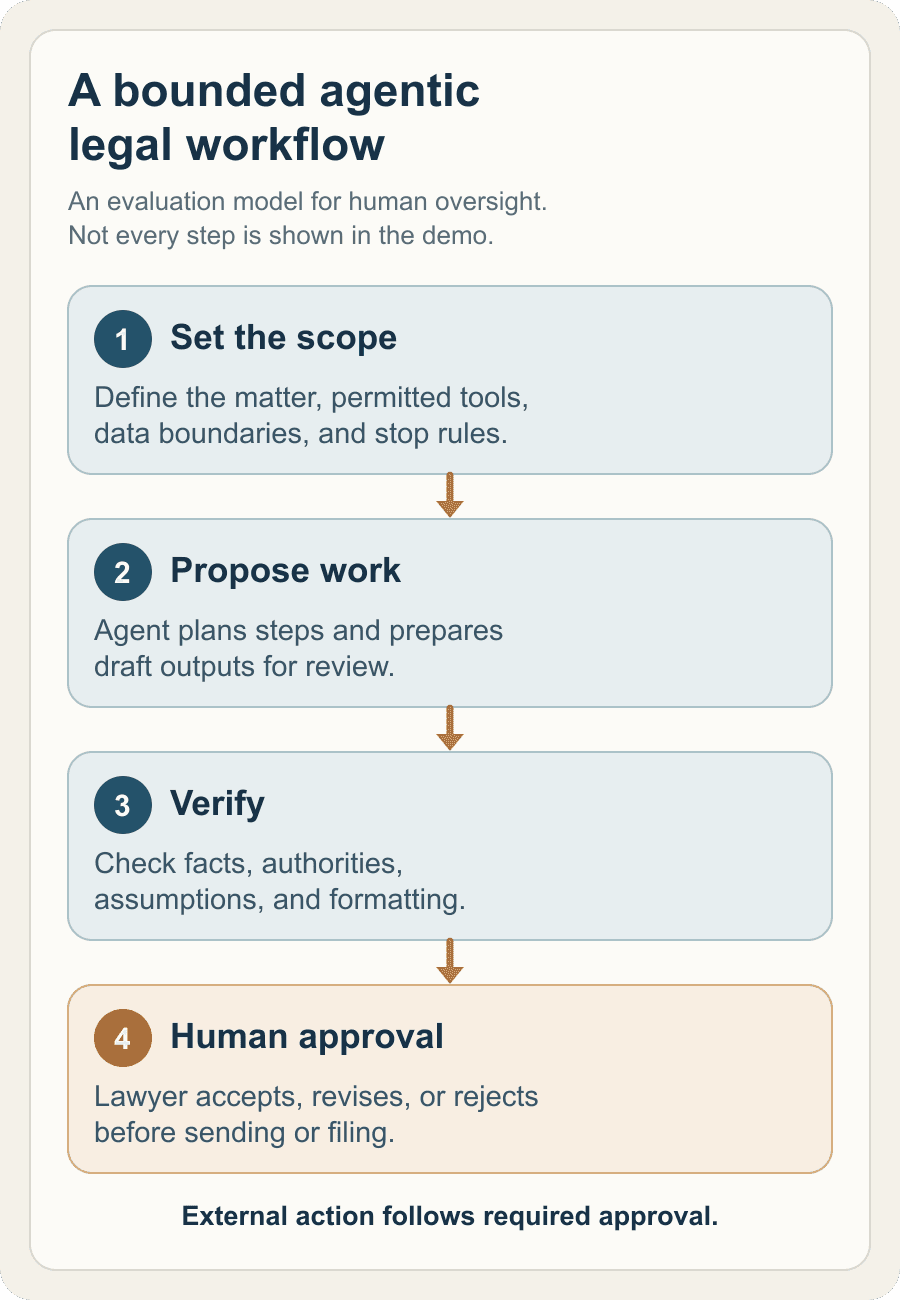
A legal agent may help organize and prepare work across matters. Its value in a law practice depends on what the lawyer can verify, control, and take responsibility for. For a broader view of where such a tool fits, read AI in legal practice.
